
AI Game Environment Generator for 3D Levels
WorldGen creates explorable game environments from a prompt or reference image, giving level designers a visual draft for scale, routes and sightlines before committing to production geometry.
Published Oct 20, 2026 · Updated Oct 20, 2026
Key takeaways
- Generate the environment itself instead of assembling a level from disconnected props.
- Use the panorama to review composition and sightlines before converting to 3D.
- Export a mesh when the scene needs to continue into Unity, Unreal, Blender or another 3D tool.
What is an AI game environment generator?
An AI game environment generator creates a playable-looking space: terrain, buildings, rooms, routes and the visual cues a player uses to navigate. It is different from a game asset generator that creates one prop, character or weapon for a level that already exists.
WorldGen focuses on the environment. A prompt or reference image becomes a 360 degree panorama, then an explorable 3D scene that can be used to test spatial ideas before production modelling.
Can AI generate a playable 3D level?
It can generate a convincing spatial draft, not a finished playable level. WorldGen helps with level greyboxing, set dressing direction, sightline studies and environment concepts, but it does not add colliders, gameplay logic, navigation data, lighting optimisation or engine-specific materials automatically.
Production still happens in Unity, Unreal, Godot or another 3D pipeline. Generate the scene, review the layout, export a suitable mesh, then rebuild the gameplay-critical pieces in the engine.
How do you prompt a game environment?
Describe the player-facing space and the information the level needs to communicate. Name the routes, landmarks, scale cues, camera height, biome, materials and lighting.
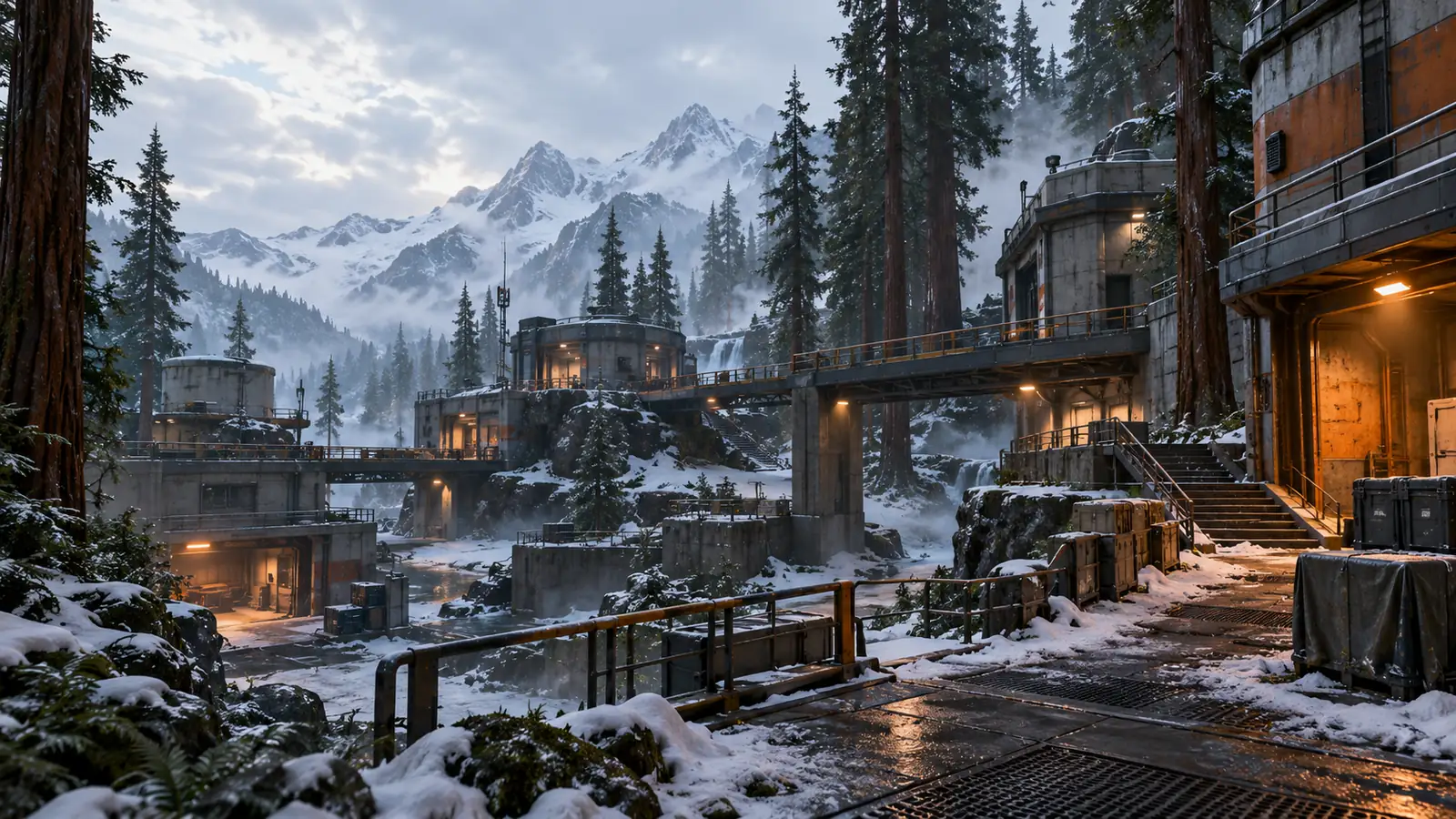
A useful prompt gives the model a readable composition: “a derelict alpine research outpost among redwoods, multiple paths around a central courtyard, eye level, snow patches, cold overcast light, orange work lamps, no characters or HUD.”
- Name the genre or play pattern: exploration, arena, stealth, traversal or hub.
- Describe landmarks that help a player orient.
- Specify camera height and the routes the player should see.
- Name lighting and materials that separate foreground, midground and background.
- State exclusions such as characters, weapons, HUD, logos or text.
When should you use text or a reference image?
Use text for early ideation when the level does not exist yet. Use a reference image when an art direction, architectural style, camera or biome is already fixed and you want the generated environment to carry that visual language.
The two-stage workflow makes the combination practical. Generate a few text directions, choose the frame with the strongest composition, then use it as an image reference to explore variations while holding the camera and palette stable.
What can a game team do with the exported result?
A Gaussian splat is useful for visual review and spatial presentation. A mesh can be imported into a 3D or game pipeline for measurement, tracing, set dressing and concept blocking.
The generated scene is a starting point, not production topology. Plan for retopology, collision, LODs, texture work, lighting and gameplay integration.
How to prototype a game environment in four steps
Start with the player experience, then turn the composition into a scene.
- 01
Define routes and landmarks
Write down how the player enters, what they should notice and which path leads deeper. Put those decisions into the prompt.
- 02
Generate and review the panorama
Check whether the environment communicates scale, direction and mood before converting it to 3D.
- 03
Convert and inspect the scene
Walk through the 3D result in the browser and note composition problems, missing sightlines and depth artefacts.
- 04
Export for an engine blockout
Use a mesh as reference geometry, then rebuild collision, gameplay and production assets in your game engine.
Environment draft vs production level
A generated scene accelerates concept work without replacing the game pipeline.
Frequently asked questions
Does WorldGen produce a ready-to-play game level?
No. It produces a visual 3D scene that can inspire or block out a level. Collision, gameplay, navigation, optimisation and production materials must be added in a game engine.
Can I import the scene into Unity or Unreal?
A mesh output can enter a 3D workflow, but setup and compatibility vary by engine. Test the exported mesh and plan retopology or cleanup before production use.
Can WorldGen generate characters and props too?
The hosted workflow is designed for scenes and environments rather than rigged characters or production-ready individual assets.
What game use cases fit WorldGen best?
Early environment ideation, level greybox references, sightline studies, biome exploration, set-piece concepts and virtual review are the strongest fits.
Related guides
Sources
Explore a game environment before you build it
Generate a spatial draft from text or an art reference and review the level from the inside.